
Get started
Quickstart
Take a sandbox payment end to end: token, hosted checkout, webhook. Plan on about thirty minutes.
Before you start
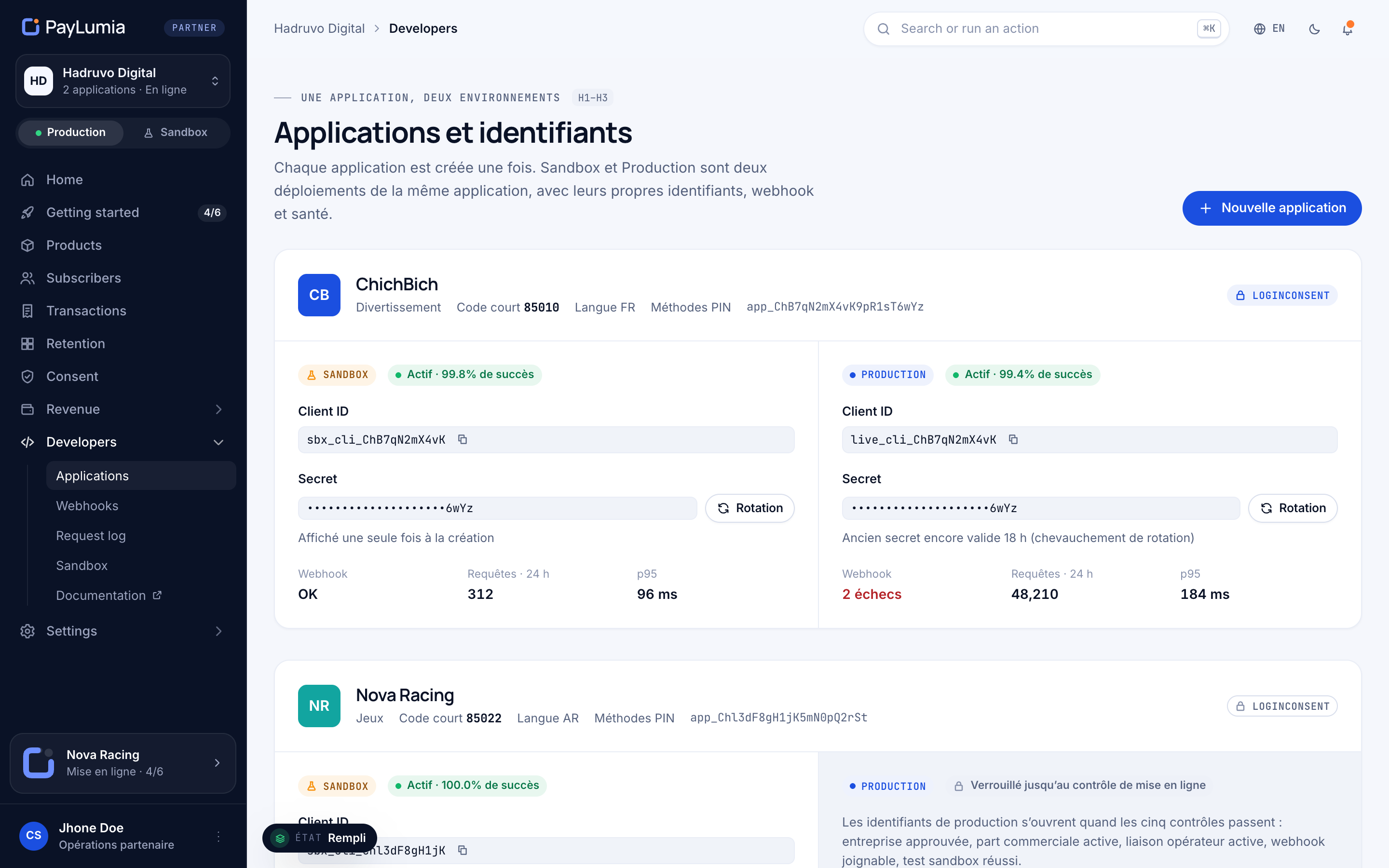
- Sandbox credentials: a
client_idstarting withplm_test_and its secret. APIhttps://api.sandbox.paylumia.com, checkouthttps://pay.sandbox.paylumia.com. Request them here. The secret is shown only once, store it in your secret manager. - At least one active offer in your sandbox application, for example
premium_daily. Offers carry the price, currency and period, so your code only names the offer. - An HTTPS endpoint for webhooks, configured on your sandbox environment.
Get an access token
Exchange your credentials for a Bearer token. Tokens last one hour; cache and reuse them.
curl https://api.sandbox.paylumia.com/oauth2/token \
  -d grant_type=client_credentials \
  -d client_id=$PAYLUMIA_CLIENT_ID \
  -d client_secret=$PAYLUMIA_CLIENT_SECRET
Create a hosted payment
Call
POST /v1/paymentswithmode: HOSTED, theofferUidand areturnUrl. Always send anIdempotency-Key: a retry with the same key never creates a second payment.curl https://api.sandbox.paylumia.com/v1/payments \ -H "Authorization: Bearer $PAYLUMIA_TOKEN" \ -H "Idempotency-Key: order-8891" \ -H "Content-Type: application/json" \ -d '{ "mode": "HOSTED", "offerUid": "premium_daily", "returnUrl": "https://app.example.tn/return", "presentation": "redirect", "prefill": { "msisdn": "+21620123456", "msisdnEditable": true }, "metadata": { "orderRef": "order-8891" } }'{ "success": true, "data": { "object": "payment", "paymentUid": "pay_4mK9pQeRw2Ns6TfXb1Zy0a", "mode": "HOSTED", "status": "REQUIRES_ACTION", "checkoutUrl": "https://pay.sandbox.paylumia.com/c/pay_4mK9pQeRw2Ns6TfXb1Zy0a", "productUid": "premium", "offerUid": "premium_daily", "expiresAt": "2026-09-20T15:30:00Z", "metadata": { "orderRef": "order-8891" } } }Send the customer to checkoutUrl
Redirect the browser to
data.checkoutUrl, or mount it in your page withpresentation: embedded. The customer enters their number, confirms with the code sent to their line, and is charged by the operator.Two environments
Sandbox (plm_test_, mock) and production (plm_live_) are separate deployments. Credentials never cross. See environments & go-live.Receive the webhook
PayLumia posts
payment.succeeded(orpayment.failed) to your webhook URL, signed in thePayLumia-Signatureheader. Verify it, then grant access.import crypto from 'node:crypto'; // Header: PayLumia-Signature: t={unix},v1={hmac} // Signed payload: `${t}.${rawBody}` — use the raw bytes, not re-serialised JSON. export function verifyPayLumia(rawBody, header, secret, toleranceSec = 300) { const parts = Object.fromEntries(header.split(',').map((kv) => kv.trim().split('='))); const t = Number(parts.t); if (!t || Math.abs(Date.now() / 1000 - t) > toleranceSec) return false; const expected = crypto.createHmac('sha256', secret).update(`${t}.${rawBody}`).digest('hex'); const a = Buffer.from(expected); const b = Buffer.from(parts.v1 || ''); return a.length === b.length && crypto.timingSafeEqual(a, b); }Handle the return
The customer lands back on your
returnUrlwithpaymentUidandstatusas query hints. Treat them as UX only: show a friendly screen, and confirm with the webhook or a read.curl https://api.sandbox.paylumia.com/v1/payments/pay_4mK9pQeRw2Ns6TfXb1Zy0a \ -H "Authorization: Bearer $PAYLUMIA_TOKEN"
What’s next
- Shape the experience: redirect or embedded, prefill and locking.
- Sell subscriptions: renewals, trials and cancellations.
- Ship it: the go-live checklist.